10 Best Language Learning Apps (2026) — Tested & Ranked
Quick Picks — Our Top 3:
| Pick | App | Best For |
|---|---|---|
| 🥇 | Duolingo | Beginners & casual daily practice |
| 🥈 | PolyChat | Unlimited free lessons, custom lessons & grammar |
| 🥉 | Babbel | Structured grammar & real-world conversation |
This 2026 roundup reviews ten popular apps side by side: what they teach, how they charge, and which learners they suit—including Duolingo, PolyChat, Babbel, Rosetta Stone, and Pimsleur. The full reviews below go deep on each one.
The dream of speaking another language is more accessible than ever, but the sheer volume of choices can be overwhelming. From gamified vocabulary builders to immersive conversation simulators, the digital space is packed with tools all promising fluency. So, which ones actually deliver results? This guide cuts through the noise to help you find the best language learning apps for your specific goals.
We have rigorously tested and analyzed the top contenders, including platforms like PolyChat, Duolingo, Babbel, and Pimsleur. We will break down not just what each app does, but who it's for, its unique teaching methodology, and its potential limitations. Each entry provides a concise summary, key feature comparisons, direct links, and screenshots to give you a clear picture of the user experience before you even download. Our focus is on practical application and honest assessment.
Whether you are a beginner preparing for a trip, an intermediate learner aiming for professional fluency, or a polyglot seeking a new challenge, this breakdown will help you find the perfect digital partner. Forget endlessly scrolling through app stores. This comprehensive resource is designed to match you with the tool that best fits your learning style, budget, and linguistic ambitions, so you can spend less time searching and more time learning. We'll explore options for every type of learner, from those needing structured grammar lessons to travelers who just want to master conversational basics quickly.
The “best” app is not universal—it is the one that matches your goal. Casual phrase learning, exam prep, and serious fluency each need different tools. Before you commit, get clear on whether you learn best visually, by listening, or through structured drills, and whether artificial limits (like daily mistake caps) will frustrate you more than they motivate you.
Many top apps build on spaced repetition—reviewing material at intervals that lock it into long-term memory. In this guide you will see:
- Who each app is truly for, from beginners to advanced polyglots
- Practical use cases for travel, work, exams, and hobby learning
- Honest trade-offs (not just feature lists)
- Strategic pairing—which apps work best together as a stack
Ready to Learn a Language?
Try PolyChat's engaging language lessons, interactive learning games and put your new vocabulary to the test!
Games & Tools
Essential tools for every learner
Thousands of Lessons
From beginner to fluent
Interactive Exercises
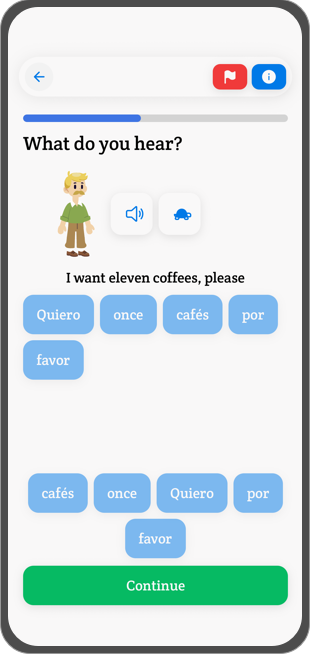
Practice vocabulary & conjugation


How to evaluate a language app
Star ratings alone miss what matters day to day. Judge apps like teaching tools, not entertainment: activity is not the same as progress if you are mostly tapping obvious answers instead of retrieving language under light pressure.
Ask five questions before you commit time or money:
- What skill does this app mainly train? Vocabulary, grammar, conversation, pronunciation, listening, or review.
- What happens when you make a mistake? Strong apps explain the error; weak ones only mark it wrong.
- How much real practice do you get? Look for recall, sentence building, and reuse—not only recognition.
- Will it still help after the beginner stage? Some apps feel great in week one and thin by month three.
- Does it match your actual goal? Travel, exams, work, family communication, and long-term fluency need different tools.
Use these four pillars when you compare options:
| Pillar | What to look for | Red flags |
|---|---|---|
| Methodology | Structured grammar paths, immersive dialogues, or a blend of both | Random sentences with no progression |
| AI & feedback | Pronunciation analysis, adaptive review, useful corrections—not generic “try again” | Chatbots that never stretch grammar or endurance |
| Motivation design | Streaks and games that reward practice | Heart/energy systems that stop you mid-session |
| Practice tools | Vocabulary drills, conjugation practice, listening and speaking loops | Recognition-only exercises with little output |
Practical rule: Dedicated learners usually need unlimited practice more than another mascot. If mistakes cut your session short, the app is training caution—not retrieval under pressure. Errors are part of the work—not a reason to end the session.
Phrasebook apps vs teaching systems
Weak apps act like digital phrasebooks (“Where is the station?”) without showing the grammar underneath. Stronger apps teach the system—why verbs change, how sentences remix, and how patterns transfer to new situations. Think of vocabulary as bricks, grammar as the frame, listening/reading as the blueprint, and practice as the labor.

| Component | What it should do |
|---|---|
| Feedback | Catch errors and show what to change |
| Interactive practice | Make you produce language, not only recognize it |
| Personalization | Adjust difficulty and review based on what you miss |
| Progress tracking | Show where you improve and where you stall |
| Resource depth | Grammar, vocabulary, context, and usable examples |
Review, feedback, and motivation design
The best apps run a teaching loop: meet a word → use it in context → retrieve it later → face a variation → produce with less support. That is how spaced repetition for language learning turns exposure into durable recall.
Look for review habits working together: spaced review, saved words, mixed prompts, and mistake-based drills that return to forms you miss. Useful feedback includes the correct answer in context, a highlight on the exact error, a short explanation, and a later exercise on the same pattern—not just a red X.
| Design choice | Effect on the learner |
|---|---|
| Unlimited practice | Encourages experimentation and longer sessions |
| Timed challenges with no lockout | Adds energy without blocking progress |
| Streaks tied to consistency | Helps habit formation |
| Hearts / energy systems | Makes errors feel expensive; can interrupt momentum |
| Hard stop after mistakes | Ends practice when effort rises |
Punitive heart systems are linked to high early dropout in market analyses; unlimited-practice models tend to keep motivated learners engaged longer. Gamification should support practice—not block it when you are finally in the zone.
The global language app market was valued at roughly USD 6.3 billion in 2024 and is projected toward USD 24+ billion by 2033, per language learning app market summaries. Duolingo alone has reported 14+ million monthly downloads and over $1 billion in annual revenue—visibility is huge, but popularity alone does not make an app right for you. Philosophy and teaching design do.
Three philosophies behind the biggest apps
Every platform is built on a core idea about how people learn. That idea shapes lessons, practice limits, and whether you feel motivated or blocked.
| Platform | Core philosophy | Best for |
|---|---|---|
| Duolingo | Gamified micro-learning | Casual beginners who want a fun daily habit |
| Babbel | Structured conversational learning | Learners who want curriculum-style grammar and dialogues |
| PolyChat | Unrestricted skill mastery | Ambitious learners who want unlimited, gamified practice without hearts |
Gamified micro-learning (Duolingo) breaks language into bite-sized games—streaks, points, leaderboards. It hooks beginners fast, but you may memorize odd, out-of-context phrases instead of usable conversation.
Structured conversational learning (Babbel) teaches through realistic dialogues with explicit grammar, like a digital textbook. Strong for travel and exams; less addictive than pure gamification.
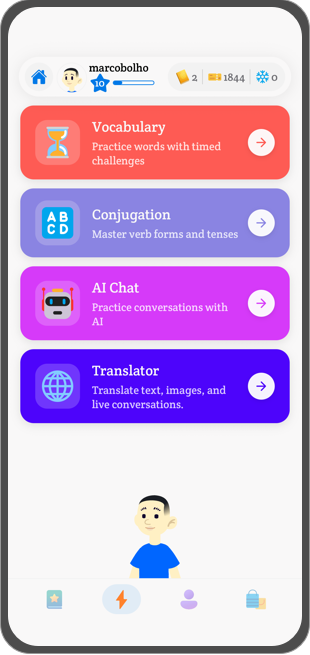
Unrestricted skill mastery (PolyChat) combines gamification with serious drills on vocabulary, conjugation, and conversation—without hearts or energy caps that stop motivated sessions. See AI language learning for how adaptive practice fits this model.
The best app is not always the most popular one. It is the one that fits your style and respects your ambition. For immediate travel communication, a dedicated translation app for travel can complement—but not replace—a learning platform.
Duolingo vs Babbel vs PolyChat: vocabulary, grammar, and conversation
| Feature category | Duolingo | Babbel | PolyChat |
|---|---|---|---|
| Vocabulary | Gamified repetition, often out of context | Words inside realistic dialogues | Timed games tied to practical themes + personal dictionary |
| Grammar | Implicit pattern recognition | Explicit, textbook-style explanations | Unlimited conjugation drills and applied practice |
| Conversation | Scripted fill-in-the-blanks | One side of pre-written dialogues | AI chat simulations for more spontaneous practice |
| Reinforcement | Hearts punish mistakes and cap sessions | Spaced repetition review (no mistake penalty) | Unlimited practice; mistakes fuel more drills |
| Gamification | Streaks and leaderboards | Traditional lesson progression | Timed games, AI chat, competitive challenges |
Vocabulary: Duolingo drills basics well but can lack real-world context. Babbel embeds words in situations you might actually face. PolyChat uses fast games while building a reviewable personal dictionary.
Grammar: Duolingo rarely explains rules outright. Babbel spells them out clearly. PolyChat emphasizes doing grammar—especially conjugation—until patterns feel automatic.
Conversation: All three build toward speaking, but depth varies. Listening quality matters too; accurate audio translation and pronunciation tools affect how well you train your ear before live conversations.
Reinforcement (the make-or-break layer): Duolingo’s heart system stops you when you are finally focused. Babbel’s SRS reviews without punishing errors. PolyChat removes daily caps so ambition—not an energy meter—sets your pace.
Duolingo remains the default on-ramp—industry trackers have cited roughly 16+ million monthly downloads for top language apps in recent years—but its heart system pushes many serious learners toward alternatives once momentum matters more than streaks alone.
1. PolyChat
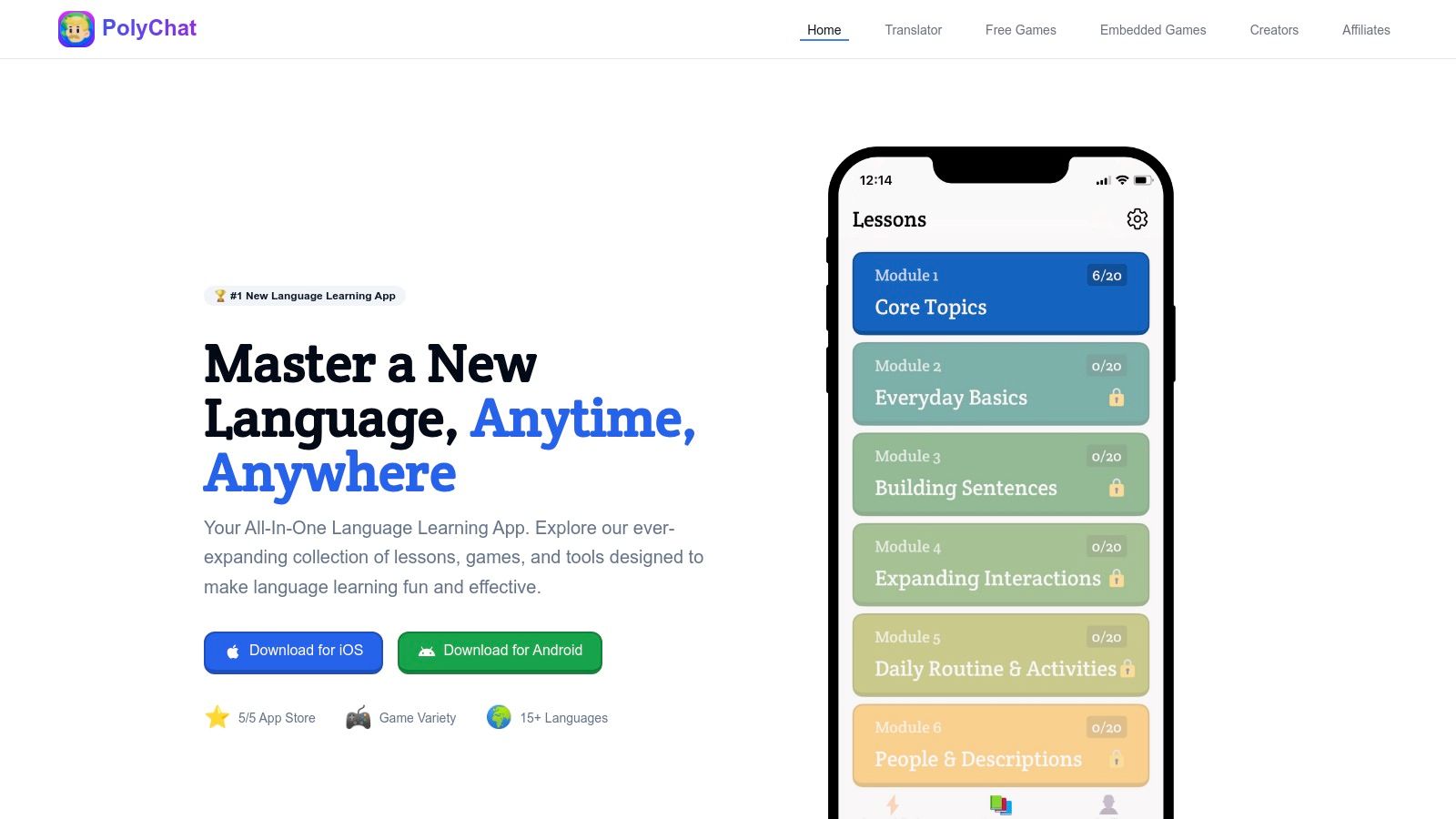
PolyChat leads our list for learners who want unlimited practice, strong grammar tools (especially conjugation), and flexible language pairs without a daily "hearts" limit. Below is how it compares to the rest of the apps in this guide on features, pricing, and real-world fit.
Its core philosophy revolves around unrestricted access. Unlike competitors that limit daily use with "hearts" or "energy," PolyChat provides unlimited plays, allowing you to immerse yourself in lessons, games, and challenges for as long as you want, whenever you want. This makes it an ideal choice for serious learners who prefer to binge-study or fit in multiple practice sessions throughout the day without hitting a paywall or a forced break.
What PolyChat does best
PolyChat’s excellence is built on a foundation of unique, learner-centric features. The app’s multi-language support is a significant differentiator; you can learn any of its 17 languages from any other. For instance, a native German speaker can learn French, or a native Spanish speaker can tackle Swedish, offering a level of versatility that is rare in the market.
The platform's pedagogical strength lies in its focus on core skills. It boasts what many users consider the market’s best conjugation practice tool, turning a notoriously difficult aspect of language learning into an interactive and effective challenge. Advanced conjugation systems can generate forms with high accuracy and drill tenses faster than rote lists alone—critical once you move past travel phrases into real sentence building. AI conversation practice adds a safe loop to test sentences, get corrections, and retry before live exchanges (see AI language learning). As you complete lessons and timed vocabulary games, the app automatically builds your personal dictionary, creating a customized reference list of words you’ve mastered. This provides a clear, measurable way to track your progress and reinforces retention. The integrated free translator is a practical tool for on-the-go assistance, making it a reliable companion for travelers and expats.
Key Features & User Experience
- Unlimited Practice: No restrictive "hearts" or energy systems.
- Flexible Language Pairs: Learn a new language from any of its supported languages.
- Advanced Tools: A top-tier conjugation trainer, timed vocabulary games, and a personal dictionary.
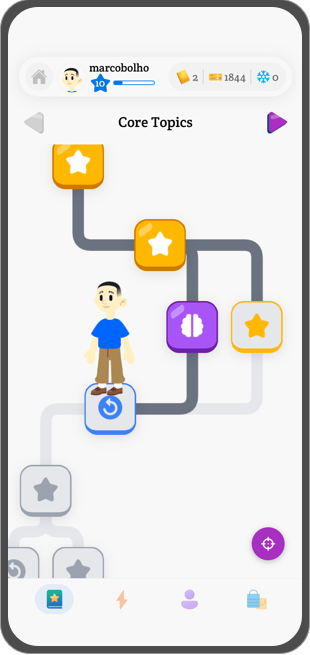
- Gamified Learning: Hundreds of bite-sized lessons and engaging challenges keep motivation high.
- High User Ratings: Strong social proof with a ⭐5/5 App Store rating and positive testimonials.
Potential Drawbacks
While the app offers a wealth of features, the specifics of its pricing model and the full extent of premium content are not immediately clear from its promotional materials. Additionally, learners seeking extensive live speaking practice or one-on-one tutor feedback might need to supplement PolyChat with a dedicated conversation exchange platform. However, for building a powerful foundation in vocabulary, grammar, and conjugation, PolyChat is an unparalleled, all-in-one solution.
Website: https://www.polychatapp.com
2. Duolingo
As arguably the most recognizable name in the language learning space, Duolingo has gamified the process of acquiring a new language for millions worldwide. Its core strength lies in making learning feel like a game, with streaks, leaderboards, and bite-sized lessons that are perfect for fitting into a busy schedule. This approach has made it one of the best language learning apps for beginners to build a foundational vocabulary and basic grammar.
The platform offers a robust free tier supported by ads, which is sufficient for many casual learners. For a more serious experience, Duolingo offers paid subscriptions. The Super tier removes ads and the heart-based life system, while the premium Max tier integrates GPT-4 for AI-powered features like Roleplay conversations and "Explain My Answer" for deeper grammar insights. While the hearts system can be frustrating, for those seeking alternatives, there are other apps available. Explore a detailed comparison and find a Duolingo alternative if the limitations hinder your progress.
Key Considerations
Duolingo's greatest asset is its accessibility and engaging interface, which keeps users motivated through daily practice. The sheer number of courses available is also impressive. However, it is often criticized for its reliance on repetitive, sometimes unnatural-sounding sentences, which may not adequately prepare learners for real-world conversation. The rollout of AI features is also inconsistent across different languages and platforms, meaning not all users get the same advanced experience.
Website: https://www.duolingo.com
| Feature | Details |
|---|---|
| Best For | Beginners and casual learners who thrive on gamification and need a structured, low-commitment entry point. |
| Unique Offering | A highly gamified learning path with streaks and leaderboards; integrated GPT-4 features in the Max tier. |
| Availability | Web, iOS, and Android. |
| Pricing | Free with ads; Super and Max subscriptions available (pricing varies by platform and region). |
3. Babbel
For learners who prefer a more structured, curriculum-based approach to language acquisition, Babbel stands out as one of the best language learning apps available. Unlike gamified apps that focus heavily on individual words, Babbel’s lessons are crafted by linguists to build conversational competence from the ground up. Each lesson introduces vocabulary and grammar through realistic dialogues you might actually encounter while traveling or speaking with a native.
The platform is designed for practical application. It uses speech recognition technology to help you fine-tune your pronunciation, and its review system ensures you retain what you've learned. Because progress is synced seamlessly between the mobile app and the web platform, you can pick up your learning journey on any device, making it a flexible option for busy schedules.
Key Considerations
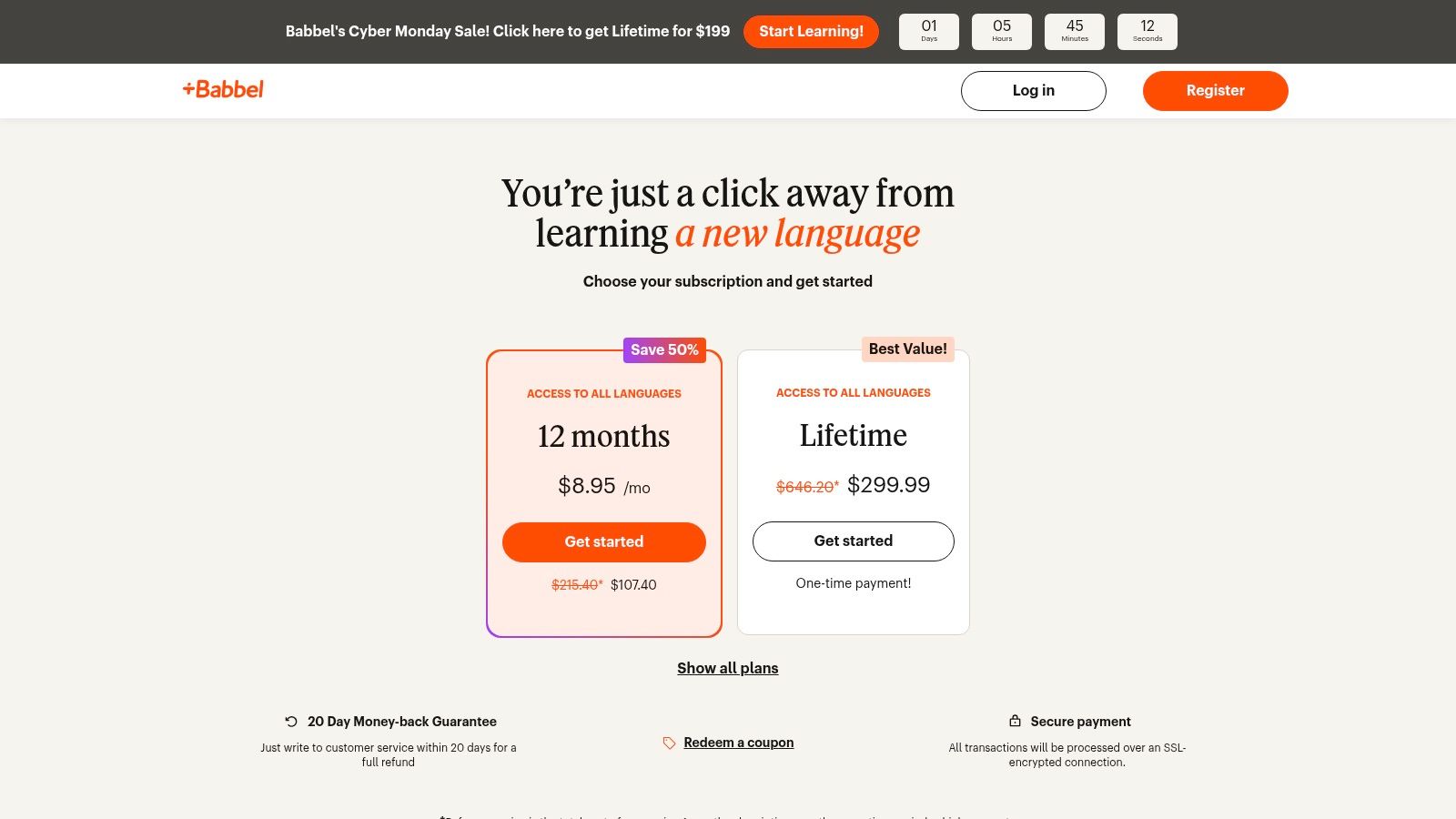
A significant advantage of Babbel is its focus on real-world conversation, which helps learners move beyond basic vocabulary to form complete, useful sentences. The company’s confidence in its method is backed by a 20-day money-back guarantee on direct purchases, offering a risk-free trial. However, the depth of content can vary significantly between languages, with popular ones like Spanish and French receiving more comprehensive courses. While subscription-based, keep an eye out for time-limited lifetime deals often sold through third-party partners for long-term savings. Level-based courses (A1, A2, B1) and topic packs (travel, business) give clearer progression than a single generic tree. Longer plans often land around $7.45/month on a 12-month commitment. Note that Babbel discontinued consumer live classes in mid-2025, so it is now a self-paced course app rather than a tutoring platform.
Website: https://www.babbel.com/prices
| Feature | Details |
|---|---|
| Best For | Learners who want structured, grammar-focused lessons that build toward practical conversational skills. |
| Unique Offering | Linguist-designed courses based on real-world dialogues and a 20-day money-back guarantee. |
| Availability | iOS, Android, and Web. |
| Pricing | Subscription-based (monthly, quarterly, yearly); occasional lifetime deals available via partners. |
4. Rosetta Stone
A titan in the language learning industry, Rosetta Stone has built its reputation on a core methodology called Dynamic Immersion. Instead of translations and explicit grammar rules, the platform teaches you to think in your new language by connecting words and phrases directly to images and real-world contexts, mimicking how you learned your first language. This makes it one of the best language learning apps for building foundational intuition.
The platform’s proprietary TruAccent speech recognition technology provides immediate feedback on your pronunciation, helping you sound more like a native speaker from the very beginning. Lessons are available for offline use on mobile, which is perfect for learning during a commute or while traveling. When evaluating comprehensive programs, it's helpful to see how platforms like Rosetta Stone compare to other language learning solutions, as seen in articles comparing Intonetic with Rosetta Stone and Pimsleur.
Key Considerations
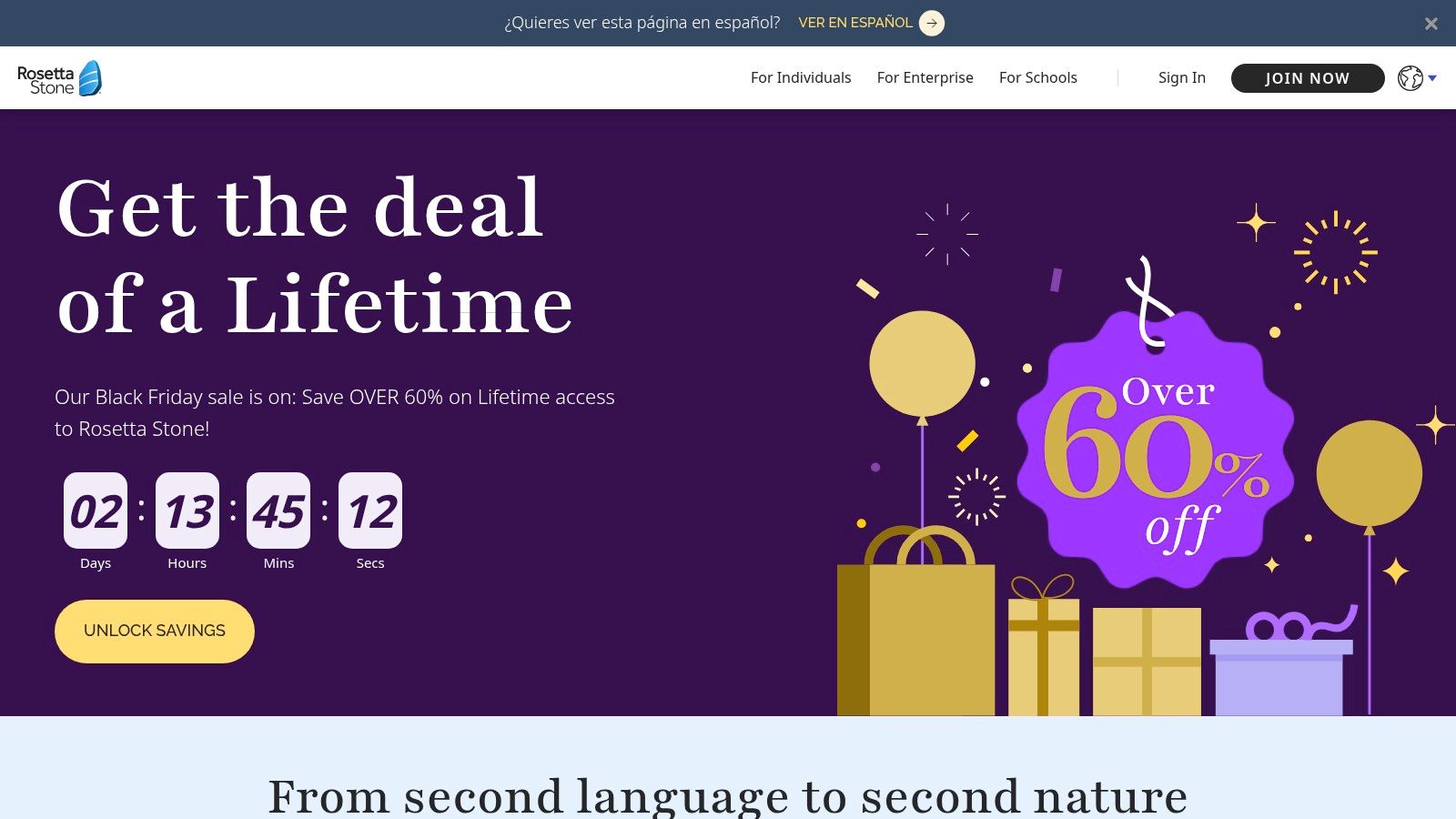
The immersive, no-translation style is powerful for building vocabulary and conversational confidence, but some learners may miss having direct grammar explanations for complex rules. While monthly subscriptions are available (often from roughly $11/month on annual plans), lifetime all-languages plans were discontinued in early 2024—new buyers should expect recurring subscriptions. Fortunately, purchases made directly through their website come with a 30-day money-back guarantee, allowing you to test if the method is right for you.
Website: www.rosettastone.com
| Feature | Details |
|---|---|
| Best For | Visual learners who want to build a strong intuitive foundation and perfect their pronunciation. |
| Unique Offering | Dynamic Immersion method that teaches without translation and TruAccent speech recognition. |
| Availability | Web, iOS, and Android devices with offline lesson access on mobile. |
| Pricing | Subscription-based; single-language or multi-language plans (no new lifetime bundles as of 2024). |
5. Pimsleur
For learners who prioritize conversational skills and want to practice on the go, Pimsleur offers a time-tested, audio-first methodology. Its core is a series of 30-minute daily lessons designed around graduated interval recall, a scientifically proven method for moving information into your long-term memory. This approach focuses on getting you to listen, understand, and speak from day one, making it one of the best language learning apps for developing an authentic accent and building speaking confidence.
The platform is designed for a hands-free experience, perfect for commuting, exercising, or doing chores. While its strength is audio, the Premium and All-Access plans supplement these lessons with digital flashcards, reading practice, and cultural notes to provide a more well-rounded education. The All-Access subscription is a major draw, granting users the ability to switch between more than 50 languages under a single plan, ideal for polyglots or those unsure which language to commit to.
Key Considerations
Pimsleur’s greatest strength is its effectiveness in teaching foundational listening and speaking skills without requiring screen time. The structured, repetitive nature of the lessons builds a strong conversational base. However, learners who prefer visual aids or in-depth grammatical explanations might find the audio-centric approach lacking. Its pricing structure is also tiered, with different costs for Audio Only, Premium (single language), and All-Access plans, so it's important to choose the one that aligns with your goals.
Website: https://www.pimsleur.com
| Feature | Details |
|---|---|
| Best For | Auditory learners and commuters who need a hands-free way to build core conversational skills. |
| Unique Offering | The Pimsleur Method, focusing on 30-minute, audio-based lessons and graduated interval recall. |
| Availability | Web, iOS, Android, and Amazon Alexa integration. |
| Pricing | Multiple subscription tiers; 7-day free trial available. |
6. Busuu
Busuu combines structured, self-paced courses with a unique human element, making it one of the best language learning apps for comprehensive skill development. Its curriculum is designed around the Common European Framework of Reference for Languages (CEFR), providing a clear, goal-oriented path from beginner (A1) to upper-intermediate (B2) levels. This structured approach ensures learners build a solid foundation.
What sets Busuu apart is its interactive community feature. You can submit writing or speaking exercises and receive corrections from native speakers of the language you're learning. In return, you can help others learning your native language. This peer-to-peer feedback loop provides invaluable, real-world practice that automated systems often miss, bridging the gap between theoretical knowledge and practical application.
Key Considerations
The platform's strength lies in its blend of structured lessons and authentic human interaction. Users gain measurable progress through official tests and can even earn McGraw Hill Education certificates. However, the availability of advanced features like AI-powered conversation practice can vary significantly depending on the language you choose and the device you use. It's also worth noting that subscription prices can differ between the website and mobile app stores, so it's wise to compare before purchasing.
Website: https://www.busuu.com
| Feature | Details |
|---|---|
| Best For | Learners who want a structured, CEFR-aligned curriculum combined with feedback from native speakers. |
| Unique Offering | Community-powered corrections on speaking and writing exercises. |
| Availability | Web, iOS, and Android devices with synced progress. |
| Pricing | Free limited version; Premium and Premium Plus subscriptions. Prices vary by platform and billing cycle. |
7. Memrise
Memrise carves out its niche by focusing intensely on vocabulary acquisition through authentic, real-world context. Rather than relying on animated characters, the platform uses thousands of short video clips of native speakers saying words and phrases. This approach helps learners connect sounds to real faces and accents, making the experience more engaging and practical for everyday conversation.
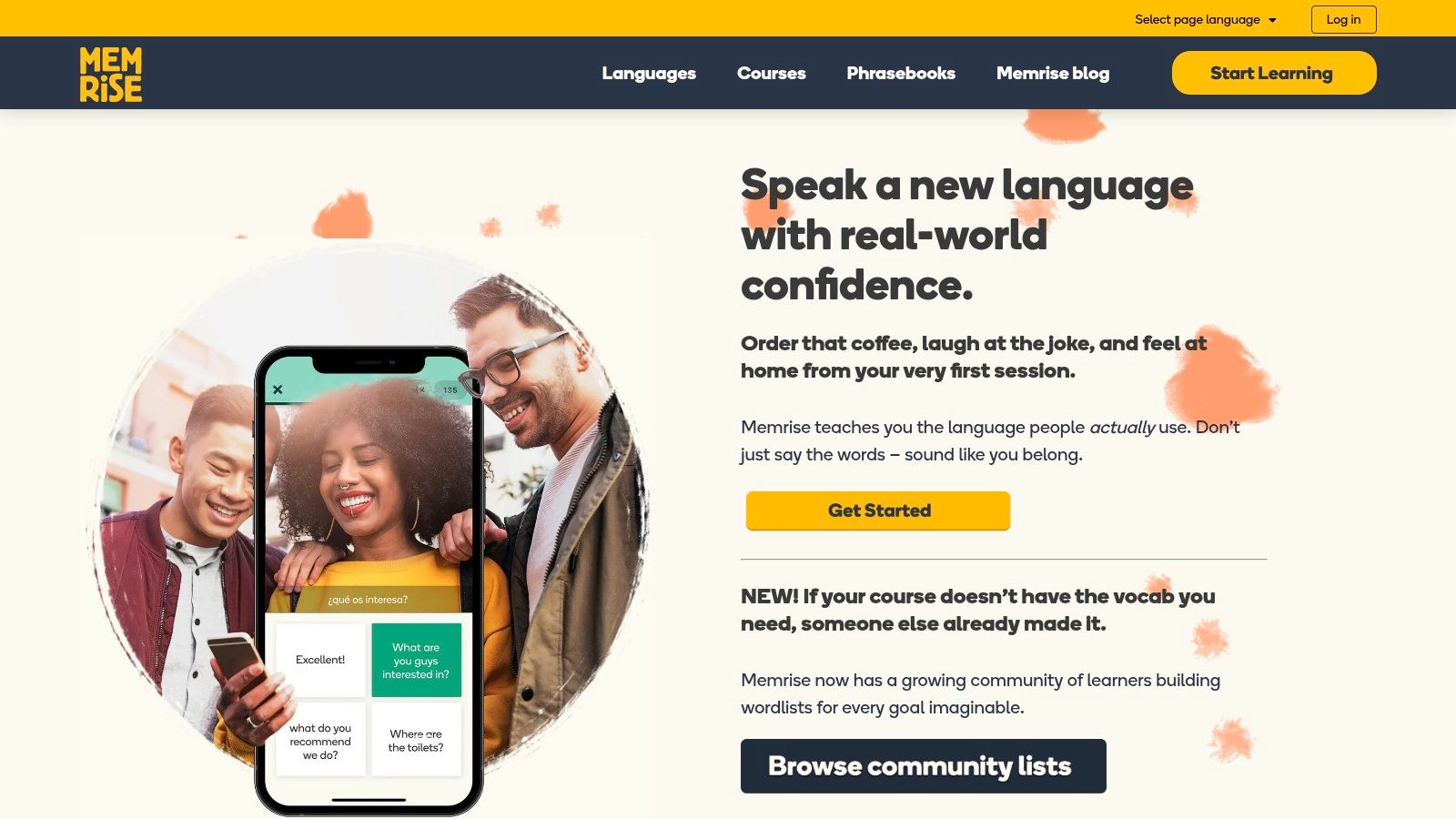
The core learning method is built on a spaced-repetition system, a proven technique for moving new words into long-term memory. AI-powered practice modes adapt to your performance, giving you more exposure to words you struggle with. This blend of authentic content and smart technology makes it one of the best language learning apps for building a strong vocabulary base quickly and effectively. To understand how such systems keep learners engaged, you can explore the role of gamification in language learning.
Key Considerations
A significant advantage of Memrise is its massive library of both official and community-created courses, though users should note that community courses now live on a separate website. This split can be slightly confusing for new users. The free tier typically includes one official course with limited daily access. While the platform excels at teaching vocabulary and phrases for popular languages, the depth of content in less common languages can be limited. Memrise Pro unlocks full courses and offline mode, often from roughly $8.50/month with discounts on annual or lifetime plans.
Website: www.memrise.com
| Feature | Details |
|---|---|
| Best For | Learners focused on building practical vocabulary and hearing authentic pronunciation from native speakers. |
| Unique Offering | Short video clips of native speakers integrated into a spaced-repetition learning system. |
| Availability | Web, iOS, and Android with synced progress across platforms. |
| Pricing | Free basic access; Premium plans available as Monthly, Annual, or Lifetime subscriptions. |
8. Mondly
For learners who thrive on variety and futuristic technology, Mondly offers a compelling alternative to traditional language apps. It provides a gamified experience with bite-sized daily lessons across more than 40 languages, making it easy to build a consistent learning habit. The platform’s core strength lies in its diverse practice methods, including themed vocabulary modules, conversation practice with a chatbot, and advanced speech recognition to hone your pronunciation.
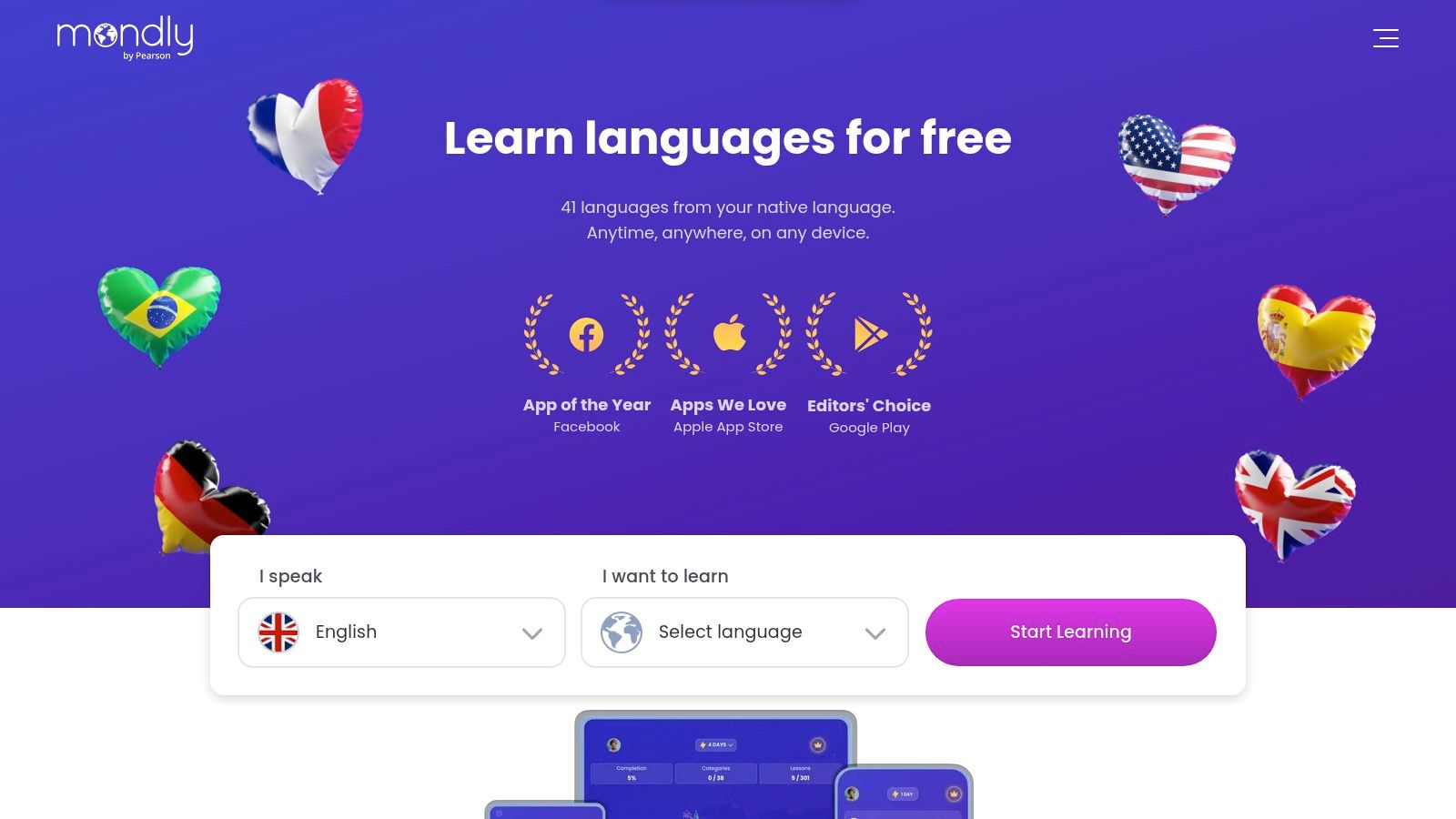
What sets Mondly apart is its venture into immersive learning through separate but integrated Augmented Reality (AR) and Virtual Reality (VR) applications. These add-ons allow you to interact with a virtual teacher and lifelike objects in your own environment, creating a memorable and context-rich practice session that goes beyond simple flashcards. Mondly (now part of Pearson) often bundles 41 languages under one premium subscription—useful for polyglots—though cancellation paths differ depending on whether you subscribed via the website or an app store.
Key Considerations
The free version provides a good taste of the platform with daily lessons, but full access requires a Premium subscription. A key advantage is the ability to sample many different languages without a deep commitment, perfect for polyglots or those still deciding which language to pursue. However, the depth of grammar and cultural context may feel limited compared to more comprehensive, curriculum-based platforms. Pricing and access can also vary depending on whether you purchase through their website or a mobile app store.
Website: https://www.mondly.com
| Feature | Details |
|---|---|
| Best For | Tech-savvy learners who enjoy gamified lessons and want to experiment with immersive AR/VR practice. |
| Unique Offering | Integrated AR and VR experiences that bring language practice into the user's physical or virtual space. |
| Availability | Web, iOS, and Android devices, with separate apps for VR/AR experiences. |
| Pricing | Free daily lessons; Premium subscription available for full access (monthly, annual, or lifetime options). |
9. Drops
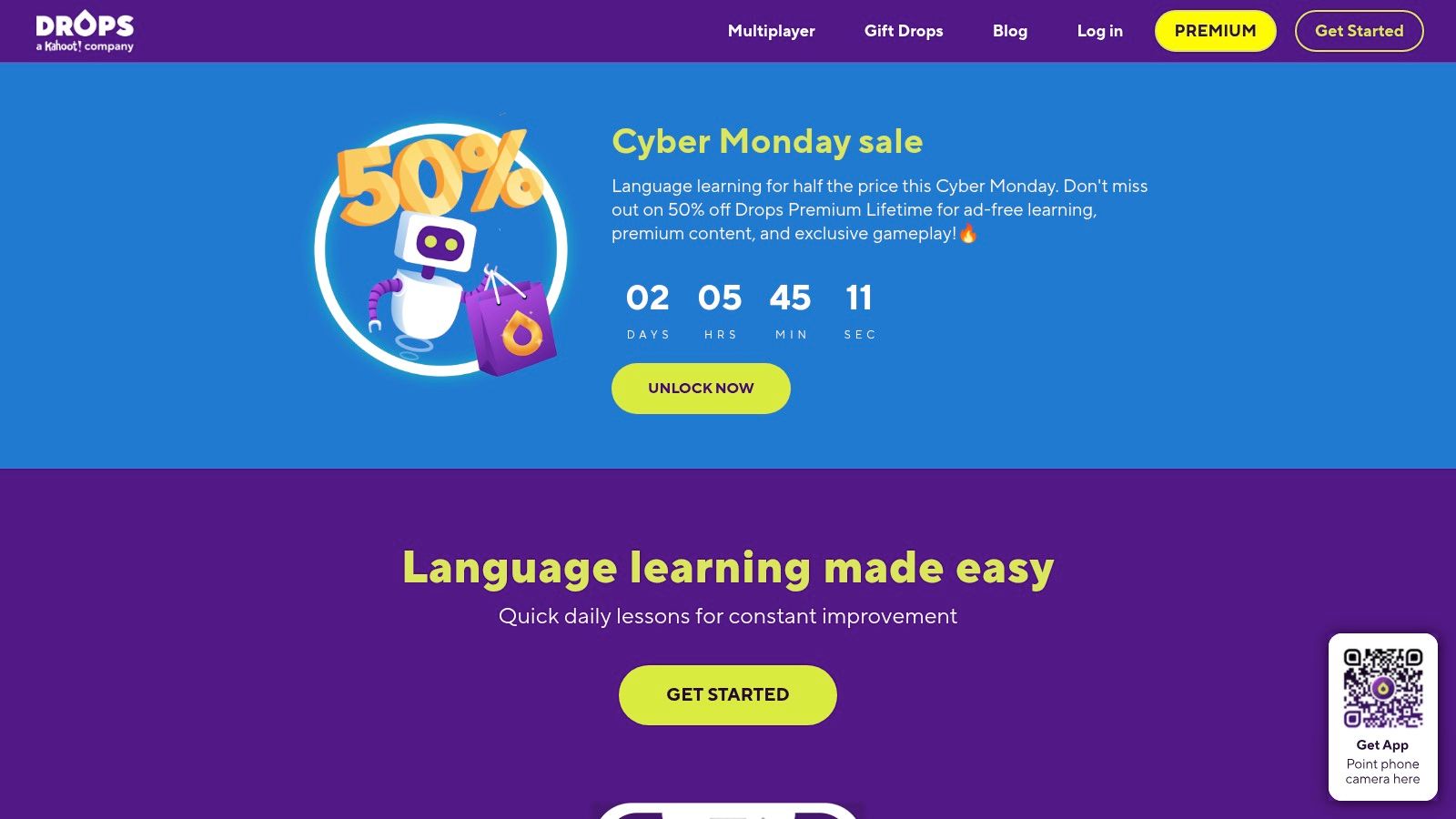
For learners who thrive on visual cues and fast-paced challenges, Drops transforms vocabulary acquisition into an engaging, game-like experience. This app is built around highly visual, five-minute daily sessions, making it one of the best language learning apps for fitting practice into a busy schedule. Instead of tedious memorization, Drops uses minimalist illustrations and rapid-fire matching games to connect words directly to their meaning.
This purely visual approach helps build strong mental associations, bypassing the need for translation. With a vast library covering over 50 languages, including many less common ones, it's an excellent tool for rapidly expanding your lexicon on a specific topic, whether it's food, travel, or business.
Key Considerations
Drops' core strength is its laser focus on vocabulary. The five-minute time limit in the free version creates a sense of urgency that encourages daily commitment. However, it intentionally omits complex grammar instruction and sentence construction, making it a powerful supplement rather than a standalone curriculum. To get the most out of it, you should pair Drops with another resource that covers grammar. The Premium version removes the time limit and ads, unlocks all topics, and offers an offline mode for learning on the go.
Website: https://languagedrops.com
| Feature | Details |
|---|---|
| Best For | Visual learners and users with busy schedules who want to rapidly build their vocabulary in short bursts. |
| Unique Offering | Gamified, illustration-based vocabulary learning in quick, five-minute sessions. |
| Availability | iOS and Android. |
| Pricing | Free with a five-minute daily time limit; Premium subscription (monthly, yearly, or lifetime) unlocks unlimited time and features. |
10. italki
For learners who recognize that apps alone aren't enough, italki provides the missing human element: live 1-on-1 tutoring. It’s a global marketplace connecting students with thousands of professional teachers and community tutors for virtually any language imaginable. Instead of following a rigid, pre-made curriculum, italki lets you find an instructor whose teaching style, schedule, and price point perfectly match your needs for truly personalized learning.
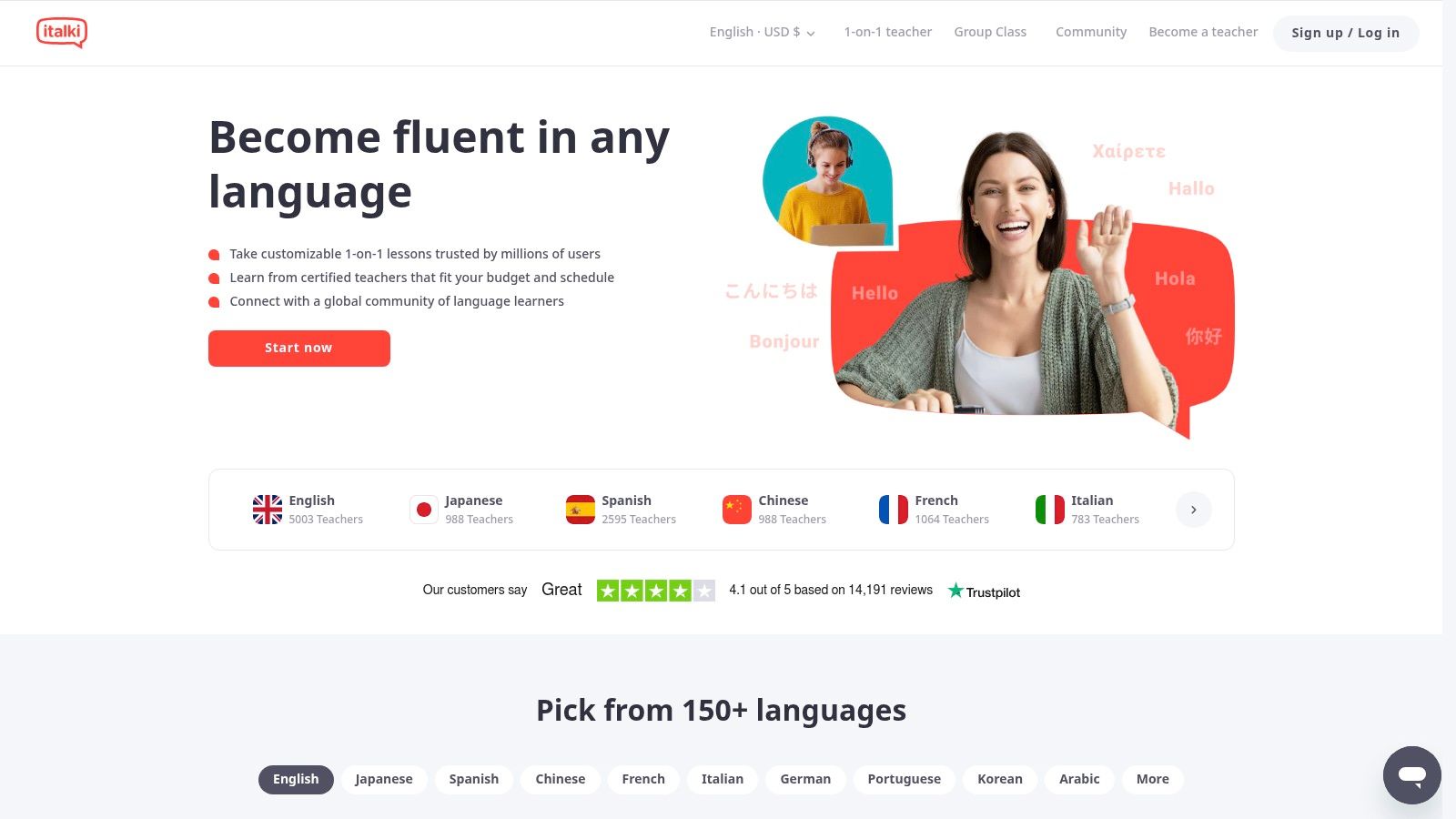
The platform operates on a flexible pay-per-lesson model, freeing you from monthly subscriptions. You can browse tutor profiles, watch introductory videos, and book discounted trial lessons to find the right fit before committing. Beyond lessons, italki also features a free community section where you can find language exchange partners and get writing corrections from native speakers, making it a comprehensive hub for interactive practice. For more details on finding the right fit, see our guide on the best online teachers for Spanish.
Key Considerations
The greatest advantage of italki is the direct, affordable access to native speakers for real conversation practice, which is crucial for building fluency. The wide range of tutors means you can find lessons for nearly any budget. However, the quality can vary significantly between a certified professional teacher and a casual community tutor. Finding the perfect instructor requires time spent vetting profiles and taking trial lessons, and the need to schedule sessions demands a greater time commitment than simply opening an app.
Website: https://www.italki.com
| Feature | Details |
|---|---|
| Best For | Learners of all levels who want to build real conversational fluency with live, personalized instruction. |
| Unique Offering | A massive marketplace of vetted tutors with a flexible pay-per-lesson model and trial classes. |
| Availability | Web, iOS, and Android. |
| Pricing | Pay-per-lesson; prices set by tutors and vary widely (from ~$5 to $80+ per hour). |
More apps worth comparing
The ten reviews above cover the most common starting points. These four fill common gaps—heritage languages, input immersion, Asian grammar depth, and live exchange.
Mango Languages

Mango Languages prioritizes practical dialogues and cultural notes across 70+ languages, including heritage and less-common options (e.g., Cherokee, Scottish Gaelic, Dzongkha) that many apps skip. Lessons cover travel, business, and other situational contexts—not only tourist basics. It is often free through US public libraries—check your library card before paying. A voice-comparison tool helps tune pronunciation; “Mango Movies” adds film-based exposure. Less gamified than Duolingo, but strong when conversation breadth matters more than streaks. Individual plans are often ~$8–18/month depending on promotions.
LingQ

LingQ is built for input-heavy study: articles, podcasts, and imported content (including YouTube and Netflix via extensions). You save unknown words as “LingQs” and review them across texts. Premium Plus adds AI tools and tutoring rewards. Best for intermediate+ self-directed learners; absolute beginners usually need a structured course first. Pairing input-heavy tools with output drills is one of the best ways to learn a new language. Premium from roughly $13/month.
LingoDeer

LingoDeer offers classroom-style grammar notes and writing-system instruction—especially strong for Japanese, Korean, and Chinese. Lessons explain why sentences work, not only how to repeat them. Premium from roughly $15/month; smaller language catalog than Duolingo but deeper for its focus languages.
Tandem

Tandem connects you with native speakers for text, voice, and video exchange—with in-chat correction and translation. Ideal for intermediate+ learners ready for real dialogue; pair it with Babbel, PolyChat, or Busuu so mistakes get drilled, not repeated. Free core; Tandem Pro adds advanced search filters and unlimited translations (pricing varies by plan length).
HelloTalk

HelloTalk is a global language-exchange community for text, voice, and video with native speakers. Built-in translation, pronunciation playback, and inline corrections support real exchanges—not scripted drills. The free tier caps translations and new chats; VIP removes limits and improves partner search. Quality depends on finding a committed partner, but for intermediate learners who need slang, culture, and off-script practice, HelloTalk fills a gap structured courses miss. VIP from roughly $7/month.
Lingvist

Lingvist is an AI-driven vocabulary builder using adaptive spaced repetition to surface high-frequency words in sentence context. Custom Decks let you upload articles, emails, or reports and auto-generate study lists—useful for professionals mastering domain-specific terms. It is minimalist and efficient for reading/listening ramp-up, but offers little grammar or speaking practice on its own; pair it with Babbel, PolyChat, or HelloTalk. Paid plans from roughly $10/month (student discounts available).
Top 10 Language Learning Apps Comparison
| Product | Core features | UX / Quality (★) | Value & Pricing (💰) | Target audience (👥) | Unique selling points (✨) |
|---|---|---|---|---|---|
| 🏆 PolyChat | Gamified lessons, timed vocab & conjugation drills, personal dictionary, built‑in translator | ★★★★★ — mobile‑first, trackable progress | 💰 Free games & translator; subscription details not listed | 👥 Beginners→advanced, students, professionals, polyglots, travelers | ✨ Unlimited daily practice (no hearts), learn any language from any language, market‑leading conjugation tool |
| Duolingo | Short gamified lessons, Super & Max tiers, GPT features (Max) | ★★★★ — highly engaging, frequent updates | 💰 Free core; Premium tiers (Super/Max) | 👥 Casual learners, busy users, beginners | ✨ Massive community, roleplay & GPT‑powered features |
| Babbel | Linguist‑designed thematic lessons, speech recognition, web sync | ★★★★ — structured, practical UX | 💰 Paid subscription; 20‑day money‑back guarantee | 👥 Learners focused on conversation & grammar | ✨ Curriculum by linguists, clear dialogue focus |
| Rosetta Stone | Immersive Dynamic Immersion, TruAccent pronunciation, offline | ★★★ — proven, strong pronunciation drills | 💰 Paid plans; 30‑day guarantee | 👥 Serious learners wanting immersion & pronunciation | ✨ Real‑time pronunciation feedback, All‑Languages option |
| Pimsleur | Audio‑first 30‑min lessons, offline, All‑Access for 50+ langs | ★★★★ — excellent for listening/speaking practice | 💰 Subscription tiers; 7‑day free trial | 👥 Commuters, auditory learners, speaking practice seekers | ✨ Hands‑free audio method; strong early speaking gains |
| Busuu | Structured courses, AI practice, community corrections, offline | ★★★★ — measurable progress, community UX | 💰 Free tier + Premium/Premium Plus; 14‑day refund | 👥 Learners wanting feedback & certification | ✨ Community corrections + AI conversation practice |
| Memrise | SRS vocab, native speaker video clips, community courses | ★★★★ — engaging for vocab & authenticity | 💰 Free + Premium (monthly/annual/lifetime) | 👥 Vocab‑focused learners, travel prep | ✨ Real native video clips and strong SRS retention |
| Mondly | Bite‑size lessons, chatbots, speech rec, AR/VR add‑ons | ★★★ — easy sampling; innovative extras | 💰 Free daily lessons; Premium trial & paid add‑ons | 👥 Casual samplers, tech‑curious learners | ✨ AR/VR experiences and chatbot practice |
| Drops | Visual 5‑minute vocab sessions, large language coverage | ★★★★ — highly engaging micro‑sessions | 💰 Free with time limits; Premium removes limits/offline | 👥 Busy users needing quick vocab drills | ✨ Very visual gameplay, many lesser‑taught languages |
| italki | Marketplace for 1:1 lessons, vetted teachers & tutors | ★★★★ — direct teacher interaction, review system | 💰 Pay‑per‑lesson (wide price range) | 👥 Learners seeking real conversation & tutors | ✨ Flexible scheduling, trial lessons, real‑time coaching |
| Mango Languages | Conversation courses, 70+ langs, library access, Mango Movies | ★★★★ | 💰 ~$8/mo or free via libraries | 👥 Travelers, heritage/niche languages | ✨ Broad catalog + institutional free access |
| LingQ | Import authentic content, SRS vocabulary tracking | ★★★★ | 💰 Free tier + ~$13/mo Premium | 👥 Intermediate+ input learners | ✨ Turn any article/video into a lesson |
| LingoDeer | Grammar notes, Asian language focus, native audio | ★★★★ | 💰 ~$15/mo or lifetime promos | 👥 Grammar-first beginners (J/K/C) | ✨ Explicit structure other gamified apps skip |
| Tandem | Partner matching, corrections, voice/video chat | ★★★★ | 💰 Free + Pro (varies) | 👥 Exchange learners past beginner stage | ✨ Live native practice without a curriculum |
| HelloTalk | Global exchange, translation, corrections, voice/video | ★★★ | 💰 Free + VIP ~$7/mo | 👥 Intermediate learners needing native chat | ✨ Correction tools + cultural/slang exposure |
| Lingvist | Adaptive SRS, custom decks from any text | ★★★★ | 💰 Paid from ~$10/mo | 👥 Vocab-focused intermediate+ learners | ✨ Upload text to build targeted word lists |
Match the app to your learner profile
| You are… | Priority | Strong fit |
|---|---|---|
| Casual traveler | Practical phrases fast | Babbel, Mango Languages |
| Absolute beginner | Daily habit and low friction | Duolingo (then graduate when limits bite) |
| Serious student / polyglot | Structure + unlimited drills | PolyChat, Busuu, Pimsleur |
| Conversation-first | Real speaking pressure | italki, Tandem, HelloTalk (pair with a core course) |
| Grammar + Asian languages | Clear rules and scripts | LingoDeer |
| Input / reading-heavy | Authentic media at scale | LingQ |
| Vocabulary-focused | Listening + recall speed | Memrise, Drops, Lingvist |
Casual traveler (trip in ~2 months): You need survival phrases, not fluency. Duolingo fits short daily sessions; Babbel or Mango add dialogues you can use at a café or station. Pair with real conversation practice before you land—apps alone rarely handle off-script replies.
Academic learner (exam or certification): You need explicit grammar, conjugation, and structured progression. Babbel, Busuu, or LingoDeer mirror classroom rigor better than streak-only gamification.
Ambitious professional (career fluency): Momentum matters more than mascots. Unlimited practice, conjugation depth, and AI conversation drills (PolyChat) suit learners who outgrow heart caps and want to study as long as focus lasts.
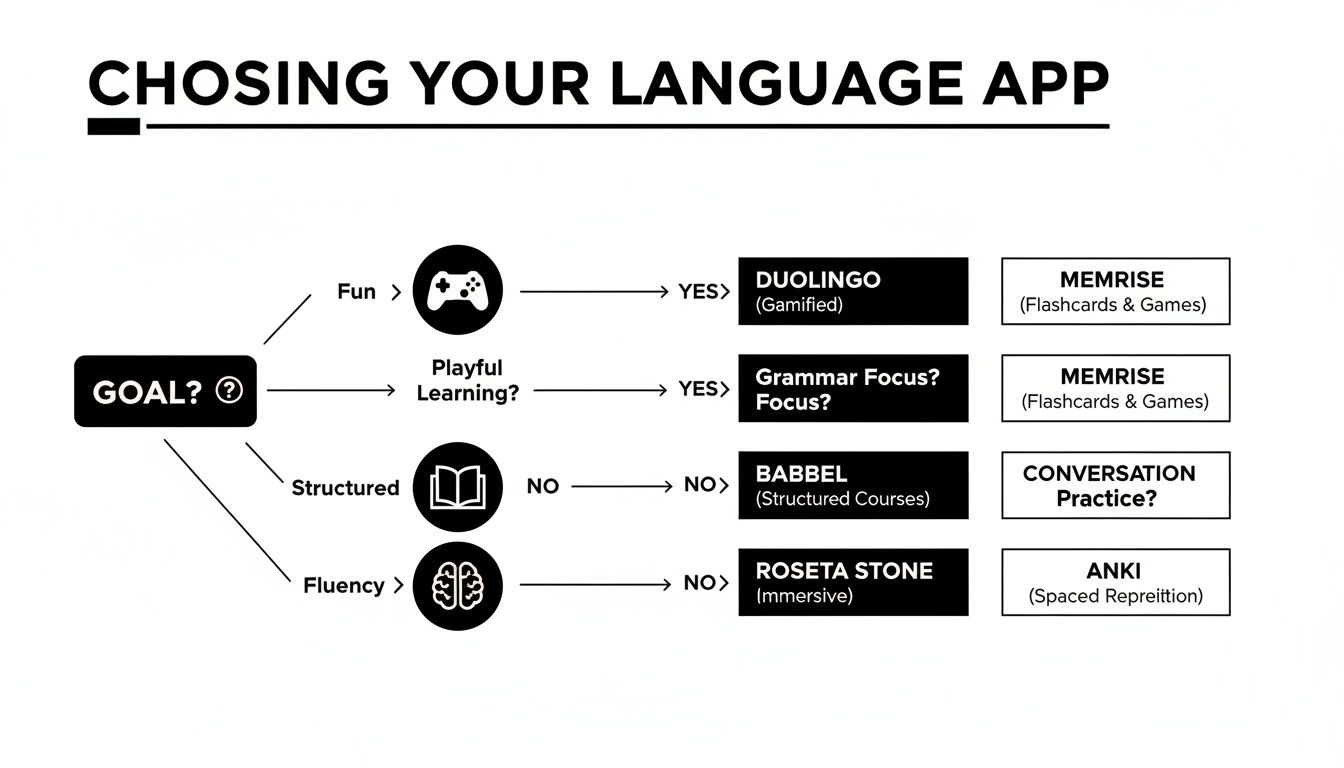
PolyChat is especially useful when you have outgrown heart caps but still want games, a clear beginner-to-advanced path, and tools like timed vocabulary challenges plus conjugation drills. Polyglots also benefit from learning one language from another supported base (e.g., Italian from French), not only from English.
Integrating an app into your routine

Self-learners: Use a small, repeatable mix—one focused lesson while attention is fresh, review saved items you keep missing, add one real input (podcast clip, article, song), then finish with quick recall (say or write a few sentences from memory). Offline access and short modes matter: if review takes too many taps, even a smart app gets abandoned.
Teachers and students: Treat apps as supplements, not replacements. Assign conjugation drills after grammar lessons, use timed vocabulary warm-ups, give absent students structured catch-up, or let advanced students push ahead while others reinforce basics. The app should bridge class and homework—not compete with it.
Use the app to build accuracy and habit. Use the outside world—conversation, media, reading—to build flexibility.
Frequently asked questions
How much time should I spend daily?
15–20 focused minutes every day beats occasional marathon sessions. Once the habit sticks, add longer blocks—but consistency matters more than intensity at the start.
Can an app alone make you fluent?
No single app replaces real-world use. Apps excel at vocabulary, grammar, and low-pressure practice; fluency still needs live conversation, media, and culture. Treat your app as curriculum + drill field, then add tutors (italki), exchange (HelloTalk), or immersive input (LingQ-style content) for the final stretch.
What is the best app for learning multiple languages?
Look for flexible language pairs and tools that scale past beginner content. PolyChat’s cross-language learning and unlimited practice suit polyglots; Pimsleur All-Access covers 50+ languages for audio-first study across several at once.
Which language app is best for serious learners?
A serious learner wants measurable progress toward fluency—not a toy streak. Non-negotiables: unrestricted practice (no hearts punishing mistakes), deep grammar tools (especially conjugation), and speaking practice beyond scripted blanks. PolyChat, Babbel, and italki each cover part of that stack; combine an unlimited drill app with live tutors when conversation is the bottleneck.
What about free apps?
Free tiers are fine for habit-building and testing whether you like a language. Once goals shift from curiosity to conversation or exams, freemium limits usually bite.
| Feature | Free (freemium) | Paid subscription |
|---|---|---|
| Access | Limited lessons; core paths often locked | Full curriculum |
| Practice | Ads, hearts, or energy caps | Unlimited, ad-free sessions |
| Tools | Basic drills only | AI chat, deep grammar, offline mode (varies by app) |
| Experience | Interruptions | Focused environment |
Watch for daily caps, heart systems, and review limits that stop you when you finally have time to study. The best free experience is one that does not punish mistakes during a productive session—but serious progress often requires upgrading or switching to a platform built for volume.
Choosing the Right App to Start Your Journey
Navigating the landscape of the best language learning apps can feel like an overwhelming task, but as we've explored, the diversity of tools available today means there is a perfect fit for every type of learner. The single most important takeaway is that no single app holds a universal key to fluency. The "best" app is a deeply personal choice, one that must align with your individual learning style, your specific goals, and the realities of your daily schedule.
We've seen how platforms like Duolingo and Drops excel at making vocabulary acquisition feel like a game, perfect for learners who need that burst of gamified motivation. In contrast, Pimsleur’s audio-centric method is unparalleled for auditory learners and those who need to study during a commute. For learners seeking structured, grammar-heavy curricula that mirror a traditional classroom, Babbel and Busuu offer robust, well-designed courses that build a solid foundation.
Making Your Decision: A Practical Framework
Use a scorecard—not a popularity contest—for any app you trial (including PolyChat):
| Question | Strong sign | Weak sign |
|---|---|---|
| Does it match my goal? | Lessons feel relevant to real use | Content feels generic or random |
| Can it take me past survival phrases? | Grammar, progression, longer tasks | Mostly isolated words and stock sentences |
| Does review happen at the right time? | Older material returns before you forget | Past lessons vanish after completion |
| Can I practice as much as I need? | Flexible or unlimited practice | Mistakes trigger blocks or delays |
| Does feedback teach me something? | Errors come with usable correction | Errors are only right/wrong |
Decision shortcut: If an app keeps interrupting practice or making errors feel pointless, choose a different one. Write your goal in one sentence first (“client small talk by June,” “GCSE support,” “travel Portuguese”)—it saves wasted trial time.
For a video walkthrough of how learners compare app formats and teaching styles:
The path to selecting your ideal app isn't about finding a flawless platform; it's about finding the one whose strengths amplify your own and whose weaknesses you can easily supplement. Consider these final points before you commit:
- Goal Alignment: Are you learning for travel, professional development, or academic credit? An app like italki, with its live tutors, is invaluable for conversational practice, while Rosetta Stone's immersive environment can be effective for building intuitive understanding without translation.
- Learning Style: Do you learn by doing, listening, or seeing? Visual learners might gravitate towards Memrise with its video clips of native speakers, while kinesthetic learners might prefer the interactive exercises found in Mondly or PolyChat.
- Time Commitment: Be realistic about how much time you can dedicate each day. If you only have five minutes, a micro-learning app like Drops is perfect. If you can set aside 30 minutes or more, a comprehensive platform like Babbel or Pimsleur might be a better investment.
Build a personal app stack instead of expecting one icon to do everything:
- Traveler / conversation-first: Pimsleur or Mango Languages + Tandem or HelloTalk for live practice.
- Grammar foundation: Babbel or LingoDeer + PolyChat for conjugation and output volume.
- Unrestricted daily practice: PolyChat as the core drill engine, plus italki, HelloTalk, or Tandem for human feedback.
- Active + passive balance: Pair output drills (PolyChat, Pimsleur) with input-heavy tools (LingQ, Memrise) so recall and comprehension grow together.
Gamification is a tool, not the goal. Streaks help you start; if you are chasing points more than understanding, add a grammar- or conversation-focused app before you plateau.
Build incrementally: Identify your biggest gap (speaking, conjugation, vocabulary). Run one core app for 2–3 weeks, then add a complementary app only where you still feel a deficit—avoid downloading a dozen icons on day one.
Habit-stacking helps: turn a commute into a Pimsleur lesson, swap five minutes of scrolling for a PolyChat session, or queue Memrise clips while you wait in line. Fifteen focused minutes daily beats a rare two-hour cram session.
Beyond the App: Building a Learning Ecosystem
Remember that even the best language learning apps are tools, not complete solutions. True language acquisition happens when you create an immersive environment. This means integrating your target language into your life in multiple ways. Supplement your app-based learning with podcasts, music, and films in your target language.
For avid readers, consuming literature is a powerful way to expand vocabulary and grasp complex sentence structures. If you're venturing into foreign-language texts, a specialized tool can be incredibly helpful. To find the right one for your needs, you can explore the seven best book translation apps for global readers to complement your study and make reading more accessible.
Ultimately, the journey to multilingualism is a marathon, not a sprint. The critical factor for success is consistency. Whether you choose the unlimited, AI-driven practice of PolyChat, the human connection of italki, or the structured lessons of Babbel, committing to daily practice is what will transform your effort into genuine progress. Don’t be afraid to experiment. Use the free trials, test the features, and find the platform that makes you excited to log in every day. The technology has made learning more accessible than ever; the next step is yours.
Ready to experience a language learning app built for limitless practice without frustrating paywalls? PolyChat offers AI-powered conversation, an intelligent conjugation tool, and gamified challenges to make learning effective and fun. Start your journey and see the difference by downloading PolyChat today.

Jean-Baptiste Bolh
Co-Founder
Applied AI