10 Apps Better Than Duolingo for Beginners in 2026

Has Duolingo Let You Down? You’re Not Alone.
You started with good intentions. Five minutes a day, a clean streak, maybe a little dopamine from leveling up. Then the cracks showed. You finally had time to study, made a couple mistakes, and got blocked by hearts. You kept going long enough to learn sentences you’d never use, but still couldn’t handle a basic introduction, order food, or ask a simple follow-up question without freezing.
That frustration is common for beginners. Duolingo is good at getting people to open an app. It’s much less reliable at helping beginners build the exact skills they notice first in real life: grammar that makes sense, vocabulary that sticks, and speaking practice that feels like actual speaking.
The problem usually isn’t motivation. It’s fit. If you want unlimited practice, Duolingo’s limits become annoying fast. If you want grammar, its explanations often feel too thin. If you want conversation, the speaking work can feel shallow or too controlled. And if you’re the kind of learner who likes to binge when motivation hits, being stopped mid-session is the fastest way to kill momentum.
That’s why a lot of beginners start searching for apps better than duolingo for beginners, not because they hate gamification, but because they want something more useful.
One clear frustration is the hearts system. A 2025 App Store review analysis found that 28% of Duolingo’s 1-star reviews mentioned hearts or energy limits as the top complaint among beginners, based on 15,000 reviews cited by Android Authority’s Duolingo alternatives roundup.
The good news is you don’t need to settle for one app trying to serve every kind of learner at once. Below are the tools that solve specific beginner problems better. Some are better for grammar. Some are better for speaking. Some are better if you just want to study without being throttled.
Ready to Learn a Language?
Try PolyChat's engaging language lessons, interactive learning games and put your new vocabulary to the test!
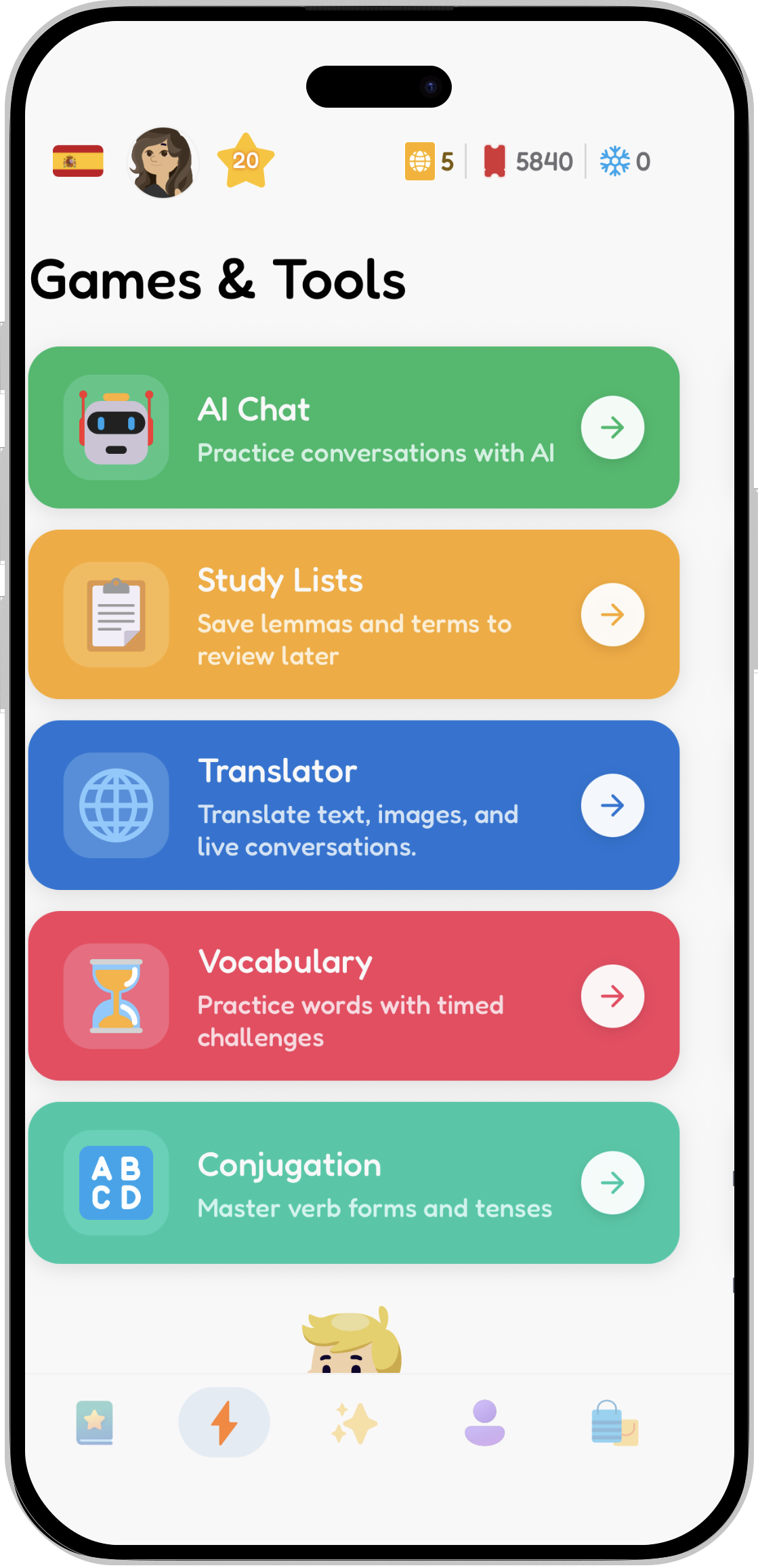
Games & Tools
Tools that every language learner needs at all stages of their learning journey.
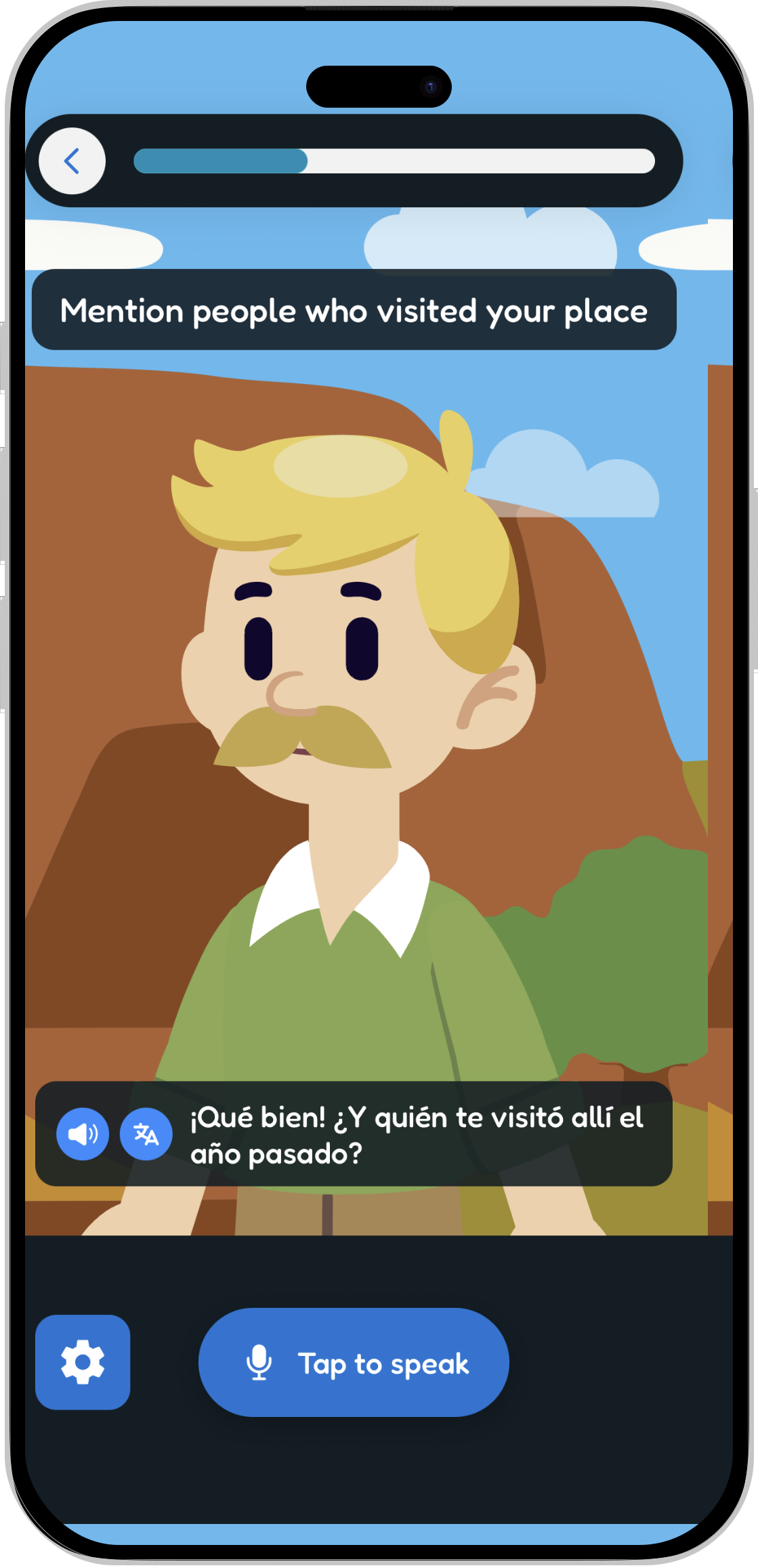
AI Chat Tutor
Practice real conversations with an AI tutor that helps you speak with confidence.
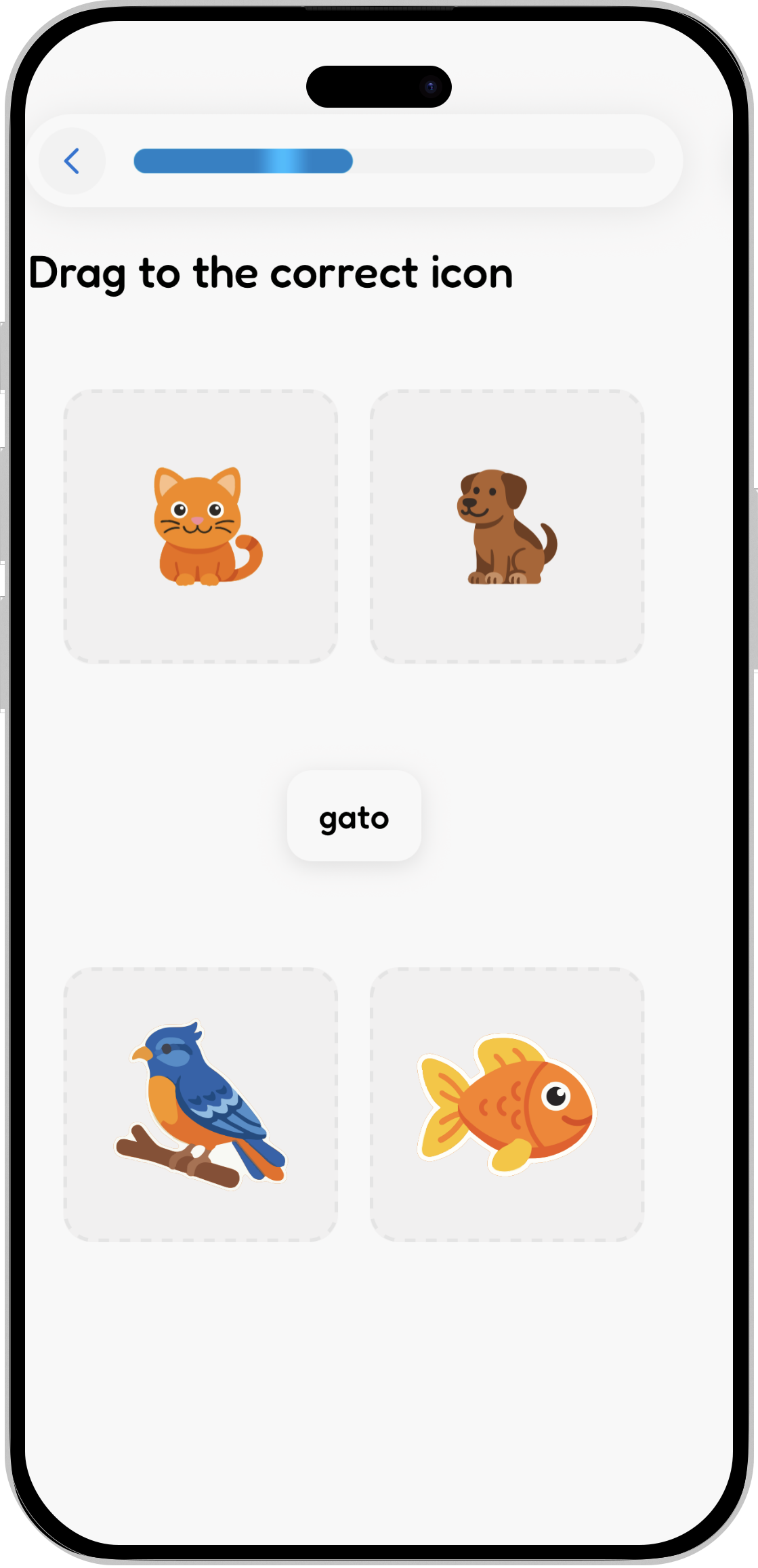
Interactive Games
A variety of games to help you learn and remember new words and phrases.


1. PolyChat

If your main issue with Duolingo is simple, “Stop interrupting me when I want to learn,” PolyChat is the strongest upgrade.
PolyChat drops the hearts and energy cap entirely. That changes the experience more than most beginners expect. You can do a short session, or you can stay in the app for as long as you have focus. There’s no punishment for making mistakes while you’re still figuring things out, which is exactly when beginners need repetition most.
Its setup is also broader than the average game-first app. PolyChat supports 17 languages and lets you learn one foreign language from another, which is rare and particularly useful for multilingual learners. The app is mobile-first, available on PolyChat, and built around drills that are worth repeating.
Why PolyChat works better for frustrated beginners
The strongest part of PolyChat is that it doesn’t force a choice between fun and structure. You get timed vocabulary challenges, interactive conversation games, hundreds of lessons, a built-in translator, progress tracking, and a personal dictionary that grows as you study.
The conjugation tool is a standout. Most beginner apps barely touch verbs beyond light exposure. PolyChat gives you a dedicated place to practice them until forms start feeling automatic, which matters if you’re learning languages where verb control is the difference between “I kind of recognize this” and “I can make my own sentence.”
Practical rule: If Duolingo makes you quit while you’re motivated, switch to an app with unlimited practice first. Motivation matters less than friction, and limits create friction.
There’s also a practical advantage to the game design. PolyChat feels built for active recall instead of passive tapping. That makes sessions feel more like training and less like feeding a streak.
For a useful breakdown of why game mechanics can help when they’re tied to real learning, PolyChat’s article on gamification in language learning is worth reading.
Best for and trade-offs
PolyChat is the best fit if you want:
- Unlimited study time: You can keep practicing without hearts, energy, or forced downtime.
- Better grammar drilling: The conjugation practice is stronger than what most beginner apps offer.
- Fast repeatable sessions: Timed challenges make it easy to squeeze in real recall practice.
- Multi-language flexibility: Learning one foreign language from another is a real differentiator.
Trade-offs matter too. Pricing isn’t laid out very clearly on the website, so premium cost transparency could be better. And while the app includes conversation-style practice, app drills still don’t replace regular live speaking with native speakers.
Still, for beginners who are fed up with being capped mid-session, PolyChat solves the exact problem Duolingo creates. It’s the easiest recommendation on this list for anyone who wants unlimited, game-like practice without the usual penalties.
2. Babbel

You finish a Duolingo session and still cannot explain why the sentence changed, why the verb ending shifted, or how to build the same pattern yourself. That is usually the moment Babbel starts to make more sense.
Babbel works well for beginners who want an actual course structure. The app moves in a clearer sequence, explains grammar earlier, and uses dialogues that sound closer to normal adult conversation. I recommend it to learners who are tired of guessing the rule from five examples and hoping it sticks.
Its biggest advantage over Duolingo is clarity. Babbel usually tells you what you are learning, why it matters, and how to use it again in the next lesson. That reduces the random feeling a lot of beginners complain about.
A few strengths stand out:
- Stronger grammar support: You get direct explanations instead of piecing everything together yourself.
- More coherent progression: Lessons build in a way that feels like a course, not a streak machine.
- Practical beginner phrases: The content is generally more useful for basic conversations and travel situations.
- Better speaking support than Duolingo: It still is not true conversation practice, but it gives pronunciation and speaking more attention.
That last point matters if your frustration with Duolingo is weak speaking practice. Babbel helps, but it will not do enough on its own if your goal is to speak earlier and with less hesitation. For that, you need regular output, including recording yourself, shadowing, and short recall drills. If you want a practical system, this guide on how to improve speaking skills in a new language is useful, and pairing Babbel with voice notes for language learning can make the app much more effective.
The trade-off is straightforward. Babbel is less playful. Some beginners like that because it cuts the fluff. Others find it harder to stay consistent without game pressure, rewards, or rapid-fire repetition. It also puts more behind a subscription, so the value depends on whether you will actually use the structured course format.
Babbel is a good pick if Duolingo frustrates you because the grammar feels thin and the path feels messy. If your main complaint is the hearts system and forced stopping, though, Babbel does not solve that problem as directly as an unlimited-practice model like PolyChat.
3. Pimsleur

Pimsleur is for the beginner who doesn’t want to tap words. You want to hear the language, say it back, and build speaking reflexes early.
That’s still where Pimsleur shines. Its method centers on 30-minute daily audio lessons and guided recall. If you commute, walk a lot, or hate being glued to a screen, it fits real life better than most apps.
A 2026 benchmark summary cited in a YouTube review of language apps described Pimsleur as reporting 85% user satisfaction in progress tracking, with its audio immersion contrasted against Duolingo’s more streak-centered model. I’d treat that as directional, but it lines up with the practical experience of using it: Pimsleur feels like guided speaking practice, not game maintenance.
Who should pick Pimsleur first
Choose Pimsleur if your main beginner problem is that you understand more than you can say. The app forces recall out loud. That’s uncomfortable at first, which is exactly why it works for the right learner.
It also fits people who learn well through repetition by ear. You hear a phrase, break it down, recall it later, and slowly build automaticity. A lot of beginners underestimate how valuable that is until they try to speak under pressure.
If speaking confidence is your target, pair Pimsleur with tactics like voice notes for language learning so you’re not only responding to the app but also producing your own short messages.
For more speaking-focused practice ideas, PolyChat’s guide on how to improve speaking skills gives useful ways to turn passive study into active output.
What it doesn’t do well
Pimsleur is light on reading and writing compared with more balanced apps. If you want grammar notes, visual explanations, or lots of text support, you may feel under-served.
It also asks for consistency. A 30-minute lesson is not huge, but it’s bigger than a quick five-minute app check-in. If you know you won’t protect that block, Pimsleur can become “a great app I never use.”
For speaking-first beginners, though, it’s still one of the best alternatives available.
4. LingoDeer
You finish a Duolingo lesson, get the answer right, and still have no idea why the sentence changed. That is the beginner frustration LingoDeer solves better than almost any app on this list.
LingoDeer is the app to pick if your main problem with Duolingo is weak grammar support. It explains patterns directly, gives you structured lessons, and builds concepts in order instead of expecting you to guess the rules from repetition alone.
That matters most in languages where beginners hit complexity early. Japanese, Korean, and Chinese are the obvious examples because particles, verb forms, and writing systems can pile up fast. But the same benefit applies anywhere clear explanation reduces the “I memorized it, but I don’t understand it” feeling.
The course design feels deliberate. Lessons are built around the language itself, not forced into one generic app template. The audio is good, the explanations are concise, and the pacing usually gives beginners enough support to keep going without feeling spoon-fed.
If Duolingo frustrates you because it limits mistakes with hearts, PolyChat solves that with an unlimited practice model. If Duolingo frustrates you because it skips clear explanations, LingoDeer is the stronger fix.
Why grammar-first beginners stick with it
LingoDeer gives you a real foundation. You see the pattern, practice it, and then move on. That sounds simple, but it changes the study experience a lot. Confusion is one of the fastest ways for beginners to quit, and LingoDeer cuts that down by telling you what is happening in the sentence before you are expected to produce it confidently.
I would recommend it most to beginners who like structure and get irritated by vague feedback. If you want to know why an ending changed, why a word order shifted, or what function a particle serves, LingoDeer usually respects that question instead of brushing past it.
Best use case
Use LingoDeer as your main app if you want clarity first and motivation second. It is less useful for speaking spontaneity, and it will not give you the kind of open-ended output practice that apps with chat-based or conversation-based models can provide.
That trade-off is fair. Beginners who need grammar support often progress faster once the basics make sense. If Duolingo has left you guessing, LingoDeer is a practical reset.
5. Busuu

Busuu fixes a different Duolingo weakness. It gives you people.
For beginners, that matters earlier than most expect. You can study alone for weeks, even months, but eventually you want to know whether your sentence sounds natural, whether your pronunciation was understandable, or whether you just translated your native language too word-for-word. Busuu’s community feedback makes that possible inside the learning flow.
Why human correction helps
Busuu combines a structured course with exercises that can be corrected by native speakers in the platform’s community. That changes the emotional experience of studying. You’re not only answering to an algorithm. You’re getting feedback from someone who uses the language.
That can be motivating, but its true strength lies in catching the sort of beginner errors apps often miss. You may build a grammatically acceptable sentence that no one would really say. Community correction can surface that fast.
A few reasons beginners do well with Busuu:
- Balanced practice: Reading, writing, listening, and speaking are all present.
- Course structure: It still feels like a path, not a random set of drills.
- Real correction: Native speakers often spot awkward wording better than automated systems.
- Confidence boost: Early feedback makes speaking and writing feel less risky.
The main downside
The best part of Busuu is also the least predictable part. Community feedback quality varies. Some corrections are thoughtful and specific. Some are brief. Some learners love that human layer, while others want more consistency than a community can guarantee.
Also, the most valuable features sit behind the paid plan. If you’re only using the free tier, you won’t feel the full advantage.
Still, for beginners who need reassurance that they’re not practicing mistakes in isolation, Busuu is one of the strongest upgrades from Duolingo.
6. Memrise

Memrise helps with a problem many beginners don’t identify right away. They’ve learned words, but they don’t recognize them when actual people say them.
That’s where Memrise earns its place. Its real-speaker video clips push you closer to how language sounds outside an app. You hear accents, pacing, and natural delivery instead of only neat synthetic audio.
Best for ear training early
The “Learn with Locals” style content is useful because it lowers the shock of real listening later. Beginners often spend months in highly controlled environments, then panic when a native speaker talks at normal speed. Memrise reduces that gap.
It also helps if you’re shy about speaking. The app’s guided chat features create low-pressure production practice without the intensity of live conversation. That can be a useful middle step between tapping answers and talking to a person.
Memrise tends to be stronger than Duolingo:
- More natural listening: You hear language as people use it.
- Better listening confidence: Real voices train your ear earlier.
- Useful vocabulary review: Repetition still plays a central role.
- Low-pressure output: Guided chat practice is less intimidating than live exchange.
The trade-off beginners should know
Memrise isn’t the app I’d choose as a full beginner system if you need strong grammar instruction. It’s better as a listening and vocabulary accelerator than as your complete structure.
That doesn’t make it weak. It just means you should match it to the problem you have. If your main frustration with Duolingo is that everything feels too artificial and too clean, Memrise feels more real.
7. Rosetta Stone

Rosetta Stone takes the opposite approach from grammar-heavy apps. It teaches through immersion, with very little translation.
For some beginners, that’s frustrating. For others, it’s exactly what helps the language stop feeling like a code to decode back into English.
Why immersion can work well
Rosetta Stone pushes you to connect words directly with images, actions, and context. That can help beginners build more direct associations instead of mentally translating every line. If your goal is to think in the language sooner, that approach has real value.
Its speech recognition also gives speaking more weight than Duolingo usually does. That’s important for beginners who care about accent and pronunciation from the start, not as an afterthought.
Rosetta Stone is a good choice when you want fewer distractions and more disciplined repetition, even if the method feels slower at first.
Who should skip it
If you already know you need explicit grammar explanations, Rosetta Stone may annoy you. It expects you to tolerate ambiguity and learn from repeated patterns. Some people thrive with that. Some feel lost.
The other possible friction point is repetition. Rosetta Stone can feel methodical to the point of monotony if you need more variety. But if Duolingo’s game layer is distracting you more than it’s helping you, Rosetta Stone’s cleaner style can be a relief.
8. Mondly
Mondly is what I’d call a polished middle ground. It keeps lessons light and visually engaging, but it offers a different flavor than Duolingo, with more emphasis on themed modules and optional immersive features.
Its biggest beginner advantage is confidence building through novelty. Some learners freeze when practice feels too exposed. Mondly’s chatbot and optional AR or VR experiences make role-play feel lower stakes.
Where Mondly is useful
If you’re a visual learner, Mondly is easy to stick with. The interface is clean, the lesson themes are obvious, and the app gives you a lot of variety in how you review beginner material.
That matters for a common type of learner: someone who doesn’t need deep grammar first, but does need an app that feels approachable enough to reopen tomorrow.
Mondly is a good fit if you want:
- Visual clarity: Lessons are easy to follow and don’t feel cluttered.
- Scenario practice: Role-play helps when real speaking feels intimidating.
- Language variety: One subscription covers many languages.
- A softer transition from Duolingo: It still feels accessible and light.
Where it falls short
Mondly can feel thin if you want depth. You may finish sessions feeling productive but still need another app for grammar, sentence building, or more serious speaking work.
That doesn’t make it a bad option. It makes it a narrower one. For visual beginners who need motivation and low-friction review, it works. For learners who are already annoyed by shallow practice, it probably won’t be enough on its own.
9. Drops

Drops is not a full Duolingo replacement. It’s a very good fix for one specific beginner problem: you know too few words to do anything useful.
That focus is its strength. Drops teaches vocabulary through short, visual, swipe-based sessions that are easy to start and hard to overthink. If Duolingo feels too scattered and you just need a base of words fast, Drops is effective as a companion tool.
Best used as a booster
Beginners often overestimate grammar and underestimate raw vocabulary. If you don’t know enough everyday words, everything else feels harder: listening, reading, even understanding the examples in your main app.
Drops lowers that barrier with quick sessions and a visual-first style. It’s approachable enough for absolute beginners and especially helpful if you want to add small practice blocks throughout the day.
If building a word base is your immediate bottleneck, PolyChat’s guide on how to learn vocabulary fast pairs well with this kind of focused review.
What Drops won’t do for you
Drops won’t teach grammar well enough to stand alone, and it won’t build full conversational ability by itself. That’s not the promise, so I wouldn’t judge it for that.
Use it when your main app isn’t giving you enough lexical repetition. Skip it if you’re already drowning in isolated words and need more sentence-level practice instead.
10. Mango Languages

Mango Languages is the app I tell budget-conscious beginners to check before paying for anything else.
Its biggest advantage isn’t flashy design. It’s access. Many public libraries offer Mango for free, and when that applies to you, it becomes one of the best-value structured options available.
Why it’s underrated
Mango takes a more academic approach than Duolingo. Lessons are structured, practical, and supported by cultural notes that help phrases make sense in context. The interface won’t impress anyone looking for game mechanics, but the learning design is beginner-friendly in a grounded way.
The catalog is also broad. If you want a language that bigger apps treat as an afterthought, Mango is often stronger than people expect.
A few reasons it works for beginners:
- Potentially free access: Library partnerships can remove the subscription barrier.
- Practical sentence focus: It leans toward usable conversation.
- Helpful cultural notes: Context matters early, not just later.
- Broad language support: Good for learners outside the usual Spanish-French-German path.
Trade-offs
Mango feels drier than the flashier apps on this list. If you rely on competition, streaks, or heavy gamification, you may struggle to stay engaged.
Pronunciation support also isn’t its strongest feature. It’s more useful as a structured beginner course than as a speaking coach. But if your main concern is getting a solid start without overspending, Mango deserves more attention than it gets.
Top 10 Duolingo Alternatives for Beginners
| Product | Core features | UX ★ | Value 💰 | Audience 👥 | Standout ✨ |
|---|---|---|---|---|---|
| 🏆 PolyChat: Best for Unlimited Gamified Learning | Unlimited plays, market-leading conjugation tool, timed vocab challenges, built-in translator, 17 languages | ★★★★☆, addictive, gamified & measurable | 💰 Freemium; premium pricing unclear | 👥 Learners who want unlimited daily practice & gamified grammar | ✨ Learn one language from another; personal dictionary & top conjugation tool |
| Babbel: Best for Structured Lessons & Real Conversations | Expert-designed sequenced lessons, grammar notes, Babbel Speak pronunciation AI | ★★★★☆, clear, focused lessons | 💰 Subscription after trial | 👥 Absolute beginners seeking structured, real‑life dialogue | ✨ Short 10–15m lessons with explicit grammar |
| Pimsleur: Best for Auditory Learners & Speaking Practice | 30-min audio lessons, spaced recall, Voice Coach AI, hands-free mode | ★★★★☆, excellent for speaking & recall | 💰 Premium; time‑intensive commitment | 👥 Auditory commuters who prioritize speaking | ✨ Speaking-first audio method for fast recall |
| LingoDeer: Best for In-Depth Grammar Explanations | Detailed grammar notes, native audio, offline lessons, guided courses | ★★★★☆, pedagogical & polished | 💰 Freemium/subscription; good grammar value | 👥 Learners needing explicit grammar (esp. Asian langs) | ✨ Strong grammar for complex scripts & structures |
| Busuu: Best for Community Feedback from Native Speakers | Structured courses, community corrections, CEFR-aligned, certificates | ★★★★☆, balanced skills with peer review | 💰 Freemium; best features behind paywall | 👥 Learners wanting native-speaker corrections | ✨ Native feedback & official certificates |
| Memrise: Best for Learning from Real-World Videos | 'Learn with Locals' videos, AI chat, SRS vocab, user courses | ★★★★☆, authentic listening practice | 💰 Freemium; solid for vocab & listening | 👥 Learners wanting real accents & colloquialisms | ✨ Thousands of short native video clips |
| Rosetta Stone: Best for Immersive, No-Translation Learning | Immersion curriculum, TruAccent speech engine, audio companion | ★★★★☆, immersive, pronunciation focus | 💰 Paid plans; long-term value | 👥 Learners who want immersion & speech accuracy | ✨ No-translation method to build thinking-in-language |
| Mondly: Best for Visual Learners & VR/AR Practice | Bite-size lessons, AI chatbot, optional VR/AR roleplay, 41 languages | ★★★★☆, vibrant & novel experiences | 💰 Subscription; broad language access | 👥 Visual learners & novelty-seekers | ✨ VR/AR dialogues for situational practice |
| Drops: Best for Rapid Vocabulary Building | 5‑minute swipe games, visual mnemonics, 50+ languages | ★★★★☆, fast, addictive vocab drills | 💰 Freemium; premium unlocks unlimited time | 👥 Beginners needing fast vocab growth | ✨ Ultra-short sessions for daily consistency |
| Mango Languages: Best Free Option via Public Libraries | Structured lessons, cultural notes, 70+ languages, placement tests | ★★★★☆, academic, culturally rich | 💰 Often free via public libraries | 👥 Budget-conscious learners & rare-language fans | ✨ Extensive language catalog & library access |
How to Choose the Right App for Your First 90 Days
You open Duolingo for a serious study session, make a few mistakes, hit the hearts limit, and suddenly the session is over. Or you finish a lesson and still do not understand why the sentence worked. Or you can tap the right answer but freeze when you need to say something out loud. Those are not small annoyances. They tell you what your next app needs to fix.
Your first 90 days go better when you choose for the problem in front of you.
Start with one question: what keeps breaking your practice right now?
If getting cut off mid-session is the problem, pick an app built for unlimited practice. PolyChat fits that need well because it removes hearts and energy limits and gives you more than quick taps. You get lessons, drills, conjugation work, and practice that lets you keep going when you finally have time and focus. For beginners, that consistency matters.
If grammar is the issue, pick structure over streak mechanics. Babbel works well if you want practical dialogues and guided explanations that stay tied to real use. LingoDeer is often the better choice if your language has unfamiliar sentence patterns or a new writing system and you need clearer notes early.
If speaking is where you stall, use a tool that forces recall. Pimsleur is strong for audio-based repetition and speaking from memory. Rosetta Stone also pushes active production, especially if you prefer an immersive style and do not need much hand-holding on grammar. Both ask more from you than Duolingo does, which is exactly why some beginners improve faster with them.
Some learners do not need more exercises. They need correction. Busuu stands out there because feedback from other speakers can catch clunky phrasing before it becomes a habit.
Keep your setup simple:
- One main app: Choose PolyChat, Babbel, LingoDeer, Pimsleur, or Rosetta Stone based on your biggest frustration.
- Weak vocabulary: Add Drops for short daily word-building sessions.
- Listening still feels hard: Add Memrise for exposure to native speech.
- Budget is tight: See whether your library gives you Mango Languages.
That is enough for most beginners.
One primary app is usually plenty for the first 90 days. Two apps can work if each has a clear job. More than that usually turns into app-hopping, and app-hopping feels productive while slowing real progress.
Pick one method and give it time to work.
If Duolingo is making practice feel interrupted, shallow, or too passive, switching is reasonable. Just do not replace one inconsistent routine with another. Choose the app that solves the frustration you feel every week, then stick with it long enough to build momentum.
One practical note. If an old phone is slowing down lessons or making speech features frustrating to use, a device upgrade can make daily study easier. If that matters for you, this guide to the best refurbished iPhones is a reasonable place to start.
The right Duolingo alternative for beginners is the one that removes the block in front of you first. If that block is hearts and study limits, use an unlimited model. If it is weak grammar, choose a more structured app. If it is poor speaking practice, move to a speaking-first tool. That is the fastest way to make your first 90 days feel productive instead of repetitive.

Jean-Baptiste Bolh
Co-Founder
Applied AI